Navisworks
94 actions across Navisworks Manage and Simulate, 2023 to 2027. Coordination is mostly triage, and triage is mostly clicking — this is the part that gives that time back.
What it can reach
- Clash Detective22
- TimeLiner (4D)14
- Viewpoints11
- View, visibility & appearance10
- Selection & search sets9
- Federation & files8
- Items & properties5
- Search & selection5
- Document & federation context4
- Quantification4
- Diagnostics1
- Code execution1
Walkthrough: a coordination round
Start with the shape of the problem, not the list:
“Run every clash test and tell me which ones got worse since the last run.”
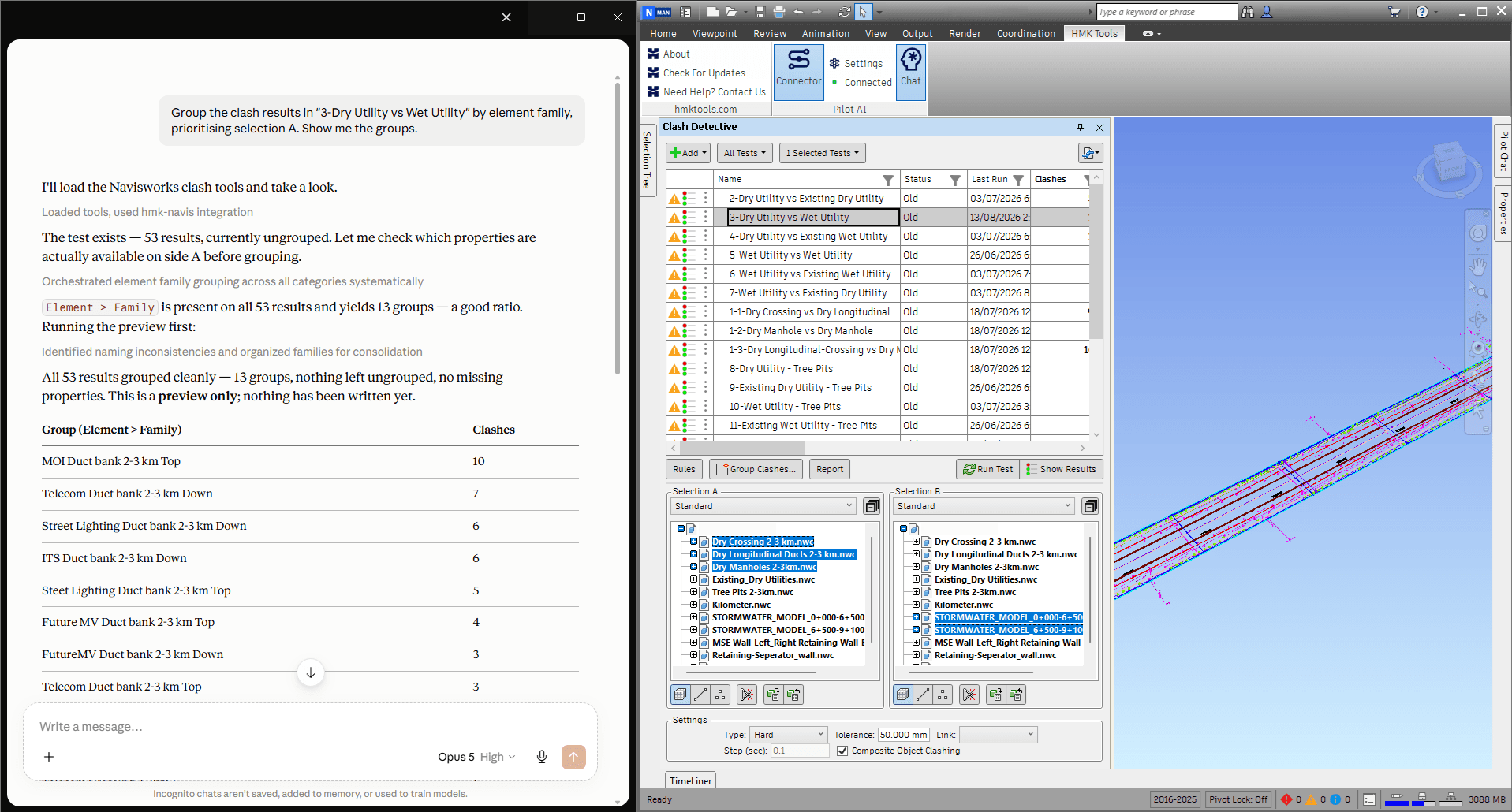
Then narrow, group and triage without leaving the conversation — assign status, add comments, and capture a viewpoint and an image per result so the report shows the problem instead of describing it:
“Group the structural-vs-MEP clashes by level, then export an HTML report with images for Level 3.”
Walkthrough: keeping the federation honest
A coordination model is a moving target, and half the arguments in a coordination meeting are about which version someone is looking at.
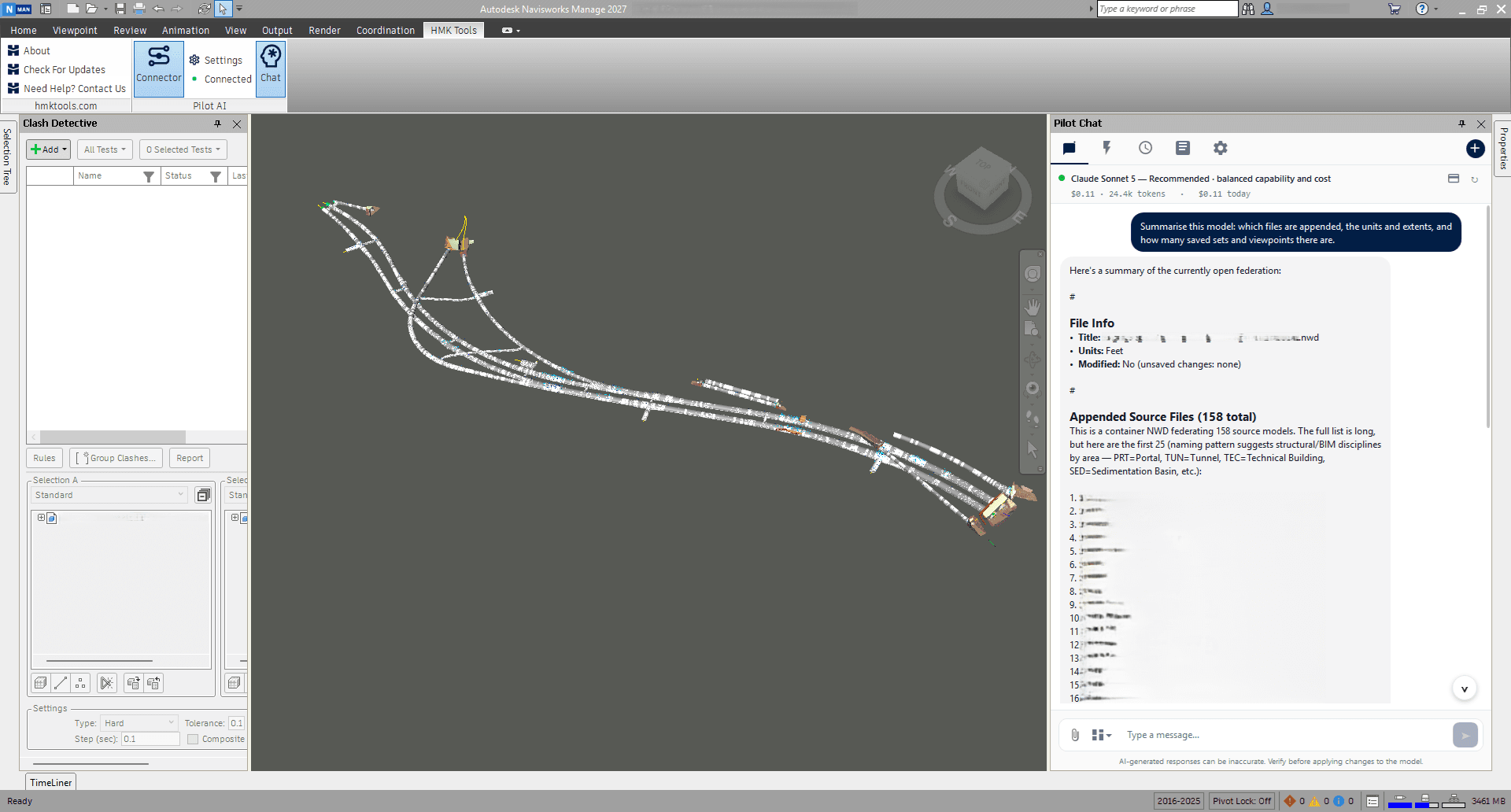
“What’s in this federation, and when was each model last refreshed?”
From there: append the new architectural NWC, remove what is superseded, refresh the rest, and report what changed.
Walkthrough: search sets that follow the naming standard
Search sets are the thing everybody agrees to and nobody maintains. Describing one is faster than building it:
“Make a search set for every pipe over 200 mm diameter and put it in the MEP folder.”
Folder structure included — so the set ends up where your standard says it should, not at the bottom of the list.
Walkthrough: the 4D schedule
Fourteen TimeLiner actions cover task creation and editing, linking geometry, task types, simulation appearances, date roll-up and CSV export. The one that saves a day is rule-based bulk attach:
“Attach these 400 objects to the schedule by rule — dry run first.”
Ask for the dry run explicitly and you get the mapping to check before anything is committed.
Full tool list
Every action with a one-line description is in the toolbox entry, and the product page answers the common questions.