What is MCP (Model Context Protocol)?
The Model Context Protocol is an open standard for connecting AI assistants to real tools. Instead of pasting context into a chat, an MCP client — Claude, ChatGPT, Cursor, Antigravity — connects to an MCP server that exposes concrete actions, and the assistant calls them directly. It is a common plug between your LLM and the software you already use.
HMK CAD Pilot runs that server inside AutoCAD, so the assistant reads and edits the live drawing. Nothing is exported, round-tripped or re-imported.
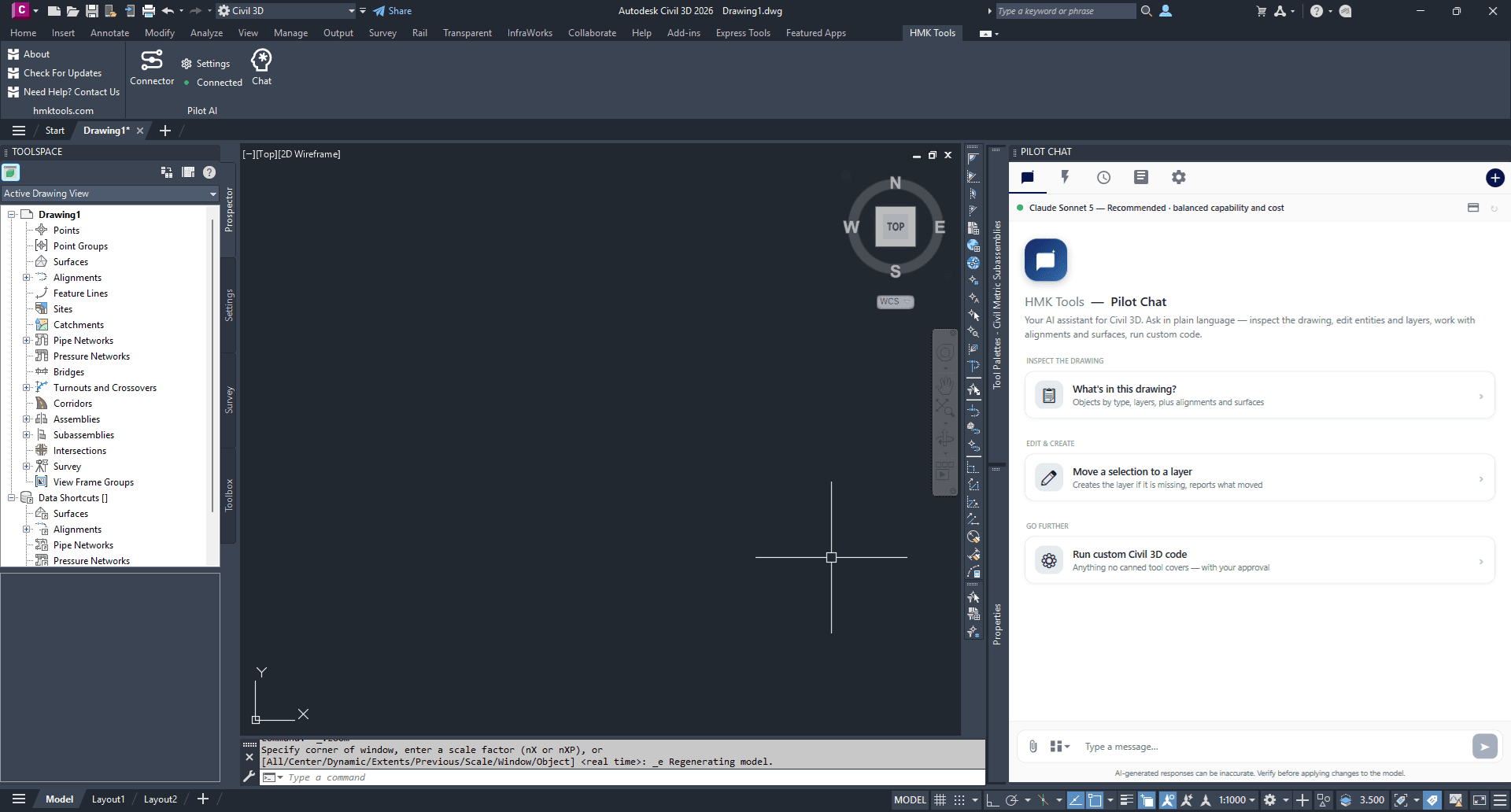
What it can do in AutoCAD
87 general AutoCAD actions, covering the everyday work:
- Geometry — draw and modify lines, polylines, arcs, circles, rectangles and hatches; move, copy, rotate, scale, mirror, offset and erase.
- Layers — list, create, set current, change properties, isolate and delete.
- Blocks — list, insert, and read or write block attributes.
- Text and annotation — create text and MText, find and replace across the drawing, add linear and aligned dimensions.
- Drawing context — what is open, what is selected, entity properties, counts by type, layouts.
- Output — plot to PDF and export DWG.
Civil 3D: the full corridor pipeline
Civil 3D runs in the same host as AutoCAD, so one install serves both — and this is where the depth is. 53 Civil-specific actions sit on top of the AutoCAD set, and they are hidden automatically when you are working in plain AutoCAD:
- Alignments — create from a polyline, offset alignments, read geometry, convert between station/offset and coordinates, add labels.
- Profiles — surface profiles, layout profiles with PVIs, and profile views.
- Surfaces — create TIN and volume surfaces, add points, breaklines, boundaries and contours, sample elevations, read statistics.
- Corridors — create from an alignment, profile and assembly, rebuild, and read the result.
- Feature lines, COGO points, sample line groups and pipe networks.
The whole road pipeline is there end to end — alignment, profile, assembly, corridor — so the assistant can take a design from a polyline to a rebuilt corridor without you leaving the chat. Verified on Civil 3D 2023 and 2026.
Dynamo, driven by the assistant
With Dynamo open, ask the assistant to work on the graph directly. It reports what Dynamo is doing, opens or starts a graph, searches the node library — including packages you have installed, such as Civil3DToolkit — adds and wires nodes, writes Code Block and Python, runs the graph and reads the computed values and node warnings back.
That makes it useful in both directions: building a script from a description, and explaining why an existing one is failing.
What you can ask for
- “List every alignment in this drawing with its length and start station.”
- “Create a surface profile for Alignment A along the EG surface, then a profile view for it.”
- “Move everything on layer C-ROAD to C-ROAD-NEW and set it to colour 3.”
- “What is the elevation of the EG surface at station 2+400, offset 12 left?”
- “Plot all layouts in this drawing to PDF.”
One-click setup — no JSON editing
Connecting an LLM to a CAD session usually means hand-editing a config file and restarting everything. Pilot AI writes that configuration for you — pick your client and click once — and preserves any MCP servers you already use.
Claude Desktop, Claude Code, ChatGPT / Codex, Cursor and Google Antigravity are set up directly, and any other MCP-compatible client can connect too. You bring your own AI account; there is no separate AI fee. And there is nothing to install alongside it — no Node.js, no Python, no runtime.
The catalogue the assistant sees is deliberately curated rather than exhaustive: tool selection degrades once a model is shown more than about fifty tools, so the niche actions ship switched off and you turn on whichever you want in Settings.
Also working in Revit or Navisworks?
One licence covers all four applications, each with the same two ways in: the Pilot Chat panel inside the application, or your own LLM over MCP. See Revit MCP and Navisworks MCP, or browse the whole toolbox.
Frequently asked questions
What is AutoCAD MCP?
AutoCAD MCP means connecting AutoCAD to an AI assistant through the Model Context Protocol (MCP) — an open standard that lets a tool like Claude call real actions inside another application. HMK CAD Pilot runs a local MCP server inside AutoCAD, so the assistant works against the drawing you have open rather than a stale export.
Is there an MCP server for AutoCAD, and how do I connect it to Claude or ChatGPT?
Yes. Install HMK Tools, open AutoCAD or Civil 3D, and in Settings → Setup Guide click Configure next to your client: Claude Desktop, Claude Code, ChatGPT / Codex, Cursor and Google Antigravity are set up for you, with no JSON to edit and no Node.js or Python to install. Restart the client and ask it to work in the open drawing.
Doesn't Autodesk have its own AutoCAD MCP server?
It has a Technical Preview. Autodesk's AutoCAD and Civil 3D MCP Server runs inside Autodesk Assistant, which Autodesk lists as its supported client, and its documentation describes it as read-only in AutoCAD with write tools for object properties and styles in Civil 3D. HMK CAD Pilot works from Claude, ChatGPT / Codex or Cursor, draws and edits geometry in AutoCAD, and builds alignments, profiles, surfaces and corridors in Civil 3D, on 2023 through 2027.
Does it work with AutoCAD LT?
No. HMK CAD Pilot is a .NET add-in, and AutoCAD LT does not load .NET add-ins. It needs full AutoCAD or Civil 3D, 2023 through 2027.
Does it work with Civil 3D?
Yes, and Civil 3D is where most of the depth is. Civil 3D runs in the same acad.exe host, so the same install serves both: on top of the general AutoCAD actions you get 53 Civil-specific ones covering alignments, layout and surface profiles, profile views, TIN and volume surfaces, corridors, feature lines, COGO points, sample line groups and pipe networks. The Civil tools are hidden automatically when you are in plain AutoCAD.
Which AutoCAD and Civil 3D versions are supported?
AutoCAD and Civil 3D 2023 through 2027. Each release band gets a build against its own runtime — .NET Framework 4.8 for 2023 and 2024, .NET 8 for 2025 and 2026, .NET 10 for 2027 — so no version runs code compiled for a different one.
Can it create things, or only read the drawing?
Both. Alongside the query actions it draws and edits geometry, manages layers and blocks, writes and finds text, plots to PDF and exports DWG — and on the Civil side it creates alignments, profiles, profile views, surfaces, corridors and feature lines. Destructive actions are scoped explicitly rather than defaulting to the whole drawing.
Can the assistant use Dynamo?
Yes. It reports what Dynamo is doing, opens or starts a graph, searches the node library including packages you have installed, adds and wires nodes, writes Code Block and Python, runs the graph and reads the computed values and node warnings back — so a script you would have wired by hand comes together in conversation.
Does my drawing leave my computer?
No. The MCP server is bound to localhost and every action runs on your machine. Your drawings are never uploaded to an HMK cloud, and the assistant only acts on what you explicitly ask for.
Do I need to edit JSON config files?
No. Pick your client and click once — Claude Desktop, Claude Code, ChatGPT / Codex, Cursor and Google Antigravity are all written for you, and any other MCP-compatible client can connect. Existing MCP servers are preserved, and there is no runtime to install. You use your own AI account — there is no separate AI fee from HMK Tools.
Put Claude to work in your drawing.
Free for 14 days — every tool, no card required.
AutoCAD, Civil 3D, Revit and Navisworks are trademarks of Autodesk, Inc. HMK Tools is not affiliated with Autodesk. Learn more at hmktools.com.