Productivity add-ins & AI for Revit, AutoCAD & Civil 3D
The tools that shouldalways be there.
A deep suite of productivity add-ins for Autodesk Revit, plus Pilot AI — an assistant that lives inside Revit and drives Revit, AutoCAD, and Civil 3D from your favorite LLM. All the things your design software should already do, in one place.
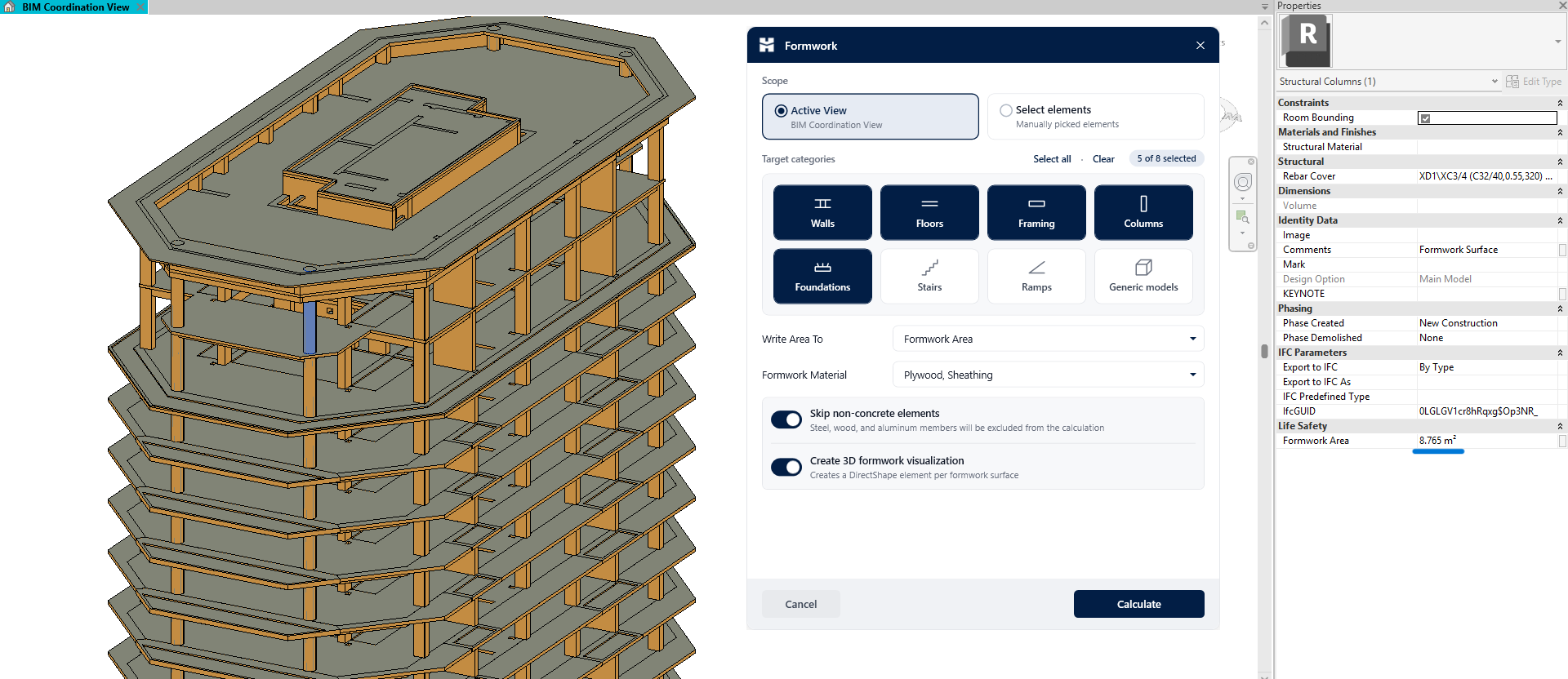
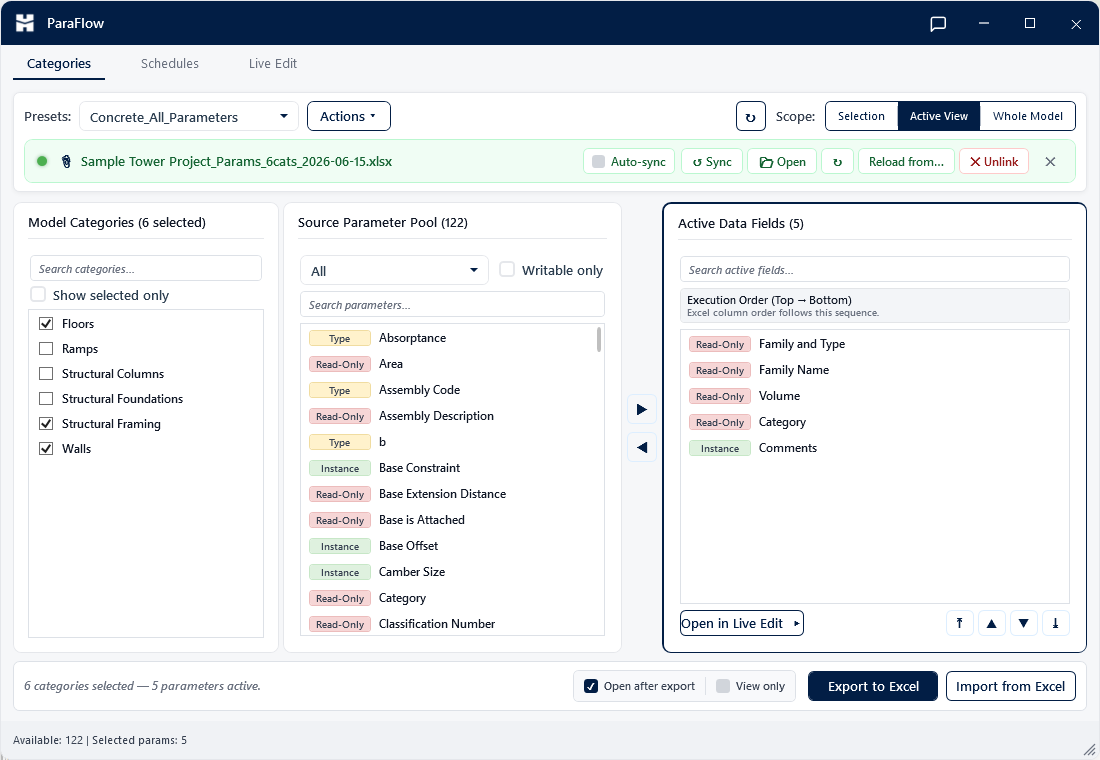
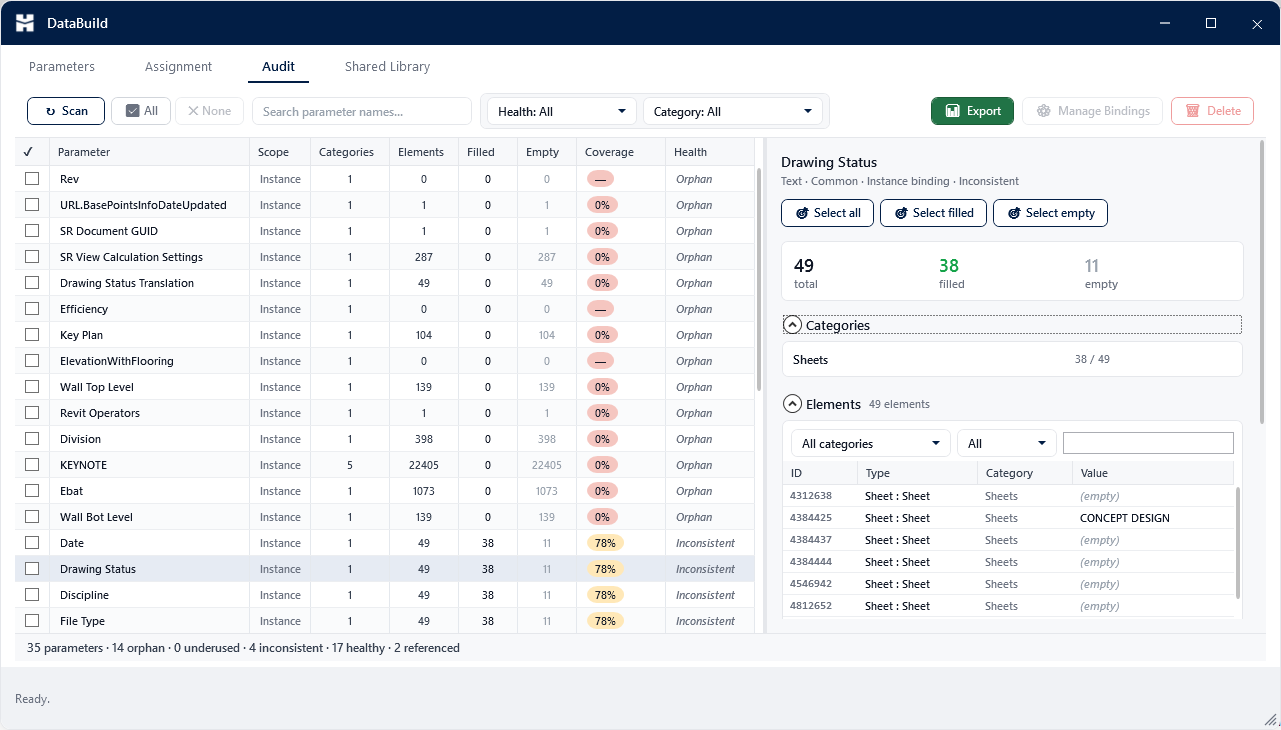
One toolkit. Every part of the workflow.
A few of the standouts below — 25+ tools in all, from parameter automation to modeling, documentation, and export.
Your design tools, driven by AI.
Pilot AI brings a real assistant into your workflow — chat with your model right inside Revit, or connect your favorite LLM and let it operate Revit, AutoCAD, and Civil 3D directly through a secure local bridge.
In-Revit Assistant
A dockable chat panel right inside Revit. Ask about your model, run audits, and automate edits in plain language — no context-switching, no leaving the app.
- Lives in a Revit dockable pane
- Analyze, automate, and audit your model
- Bring your own API key
MCP Bridge to your LLM
Connect Claude Desktop (or any MCP client) to Revit, AutoCAD, or Civil 3D. Your LLM gains 190+ real actions — selecting elements, editing parameters, drawing and modifying geometry, querying alignments and surfaces — all executed safely on your machine.
- 190+ actions across Revit, AutoCAD & Civil 3D
- Runs locally — your files never leave your PC
- One-click connect / disconnect
you ▸ Tag all the doors in the current view and put it on a new sheet.
pilot ▸ Running tag_all_in_view(category: Doors)… tagged 38 doors.
pilot ▸ Running create_sheet + place_view_on_sheet… created sheet A-103.
pilot ▸ Done in 2.4s.▋
190+ actions across Revit, AutoCAD & Civil 3D — all executed locally.
Up and running in three steps
Install in minutes
Run one installer. It sets up HMK Tools in every Revit, AutoCAD, and Civil 3D version you have — automatically.
Start your free trial
Create an account and unlock all 25+ tools for 30 days — every module, no feature locks.
Work faster
Automate the repetitive parts of BIM and CAD, and let Pilot AI handle the rest across your Autodesk apps.
Why HMK Tools
Made for every design team.
From architects and engineers to BIM managers and coordinators — whatever you design in, HMK Tools takes the slow, repetitive work off every project so your whole team can focus on what matters.
Built for real work
Every tool exists to cut hours off the repetitive parts of real projects.
Your data stays local
Pilot AI runs through a local bridge — your models never leave your machine.
Every app, every version
One install covers Revit, AutoCAD, and Civil 3D — and sets up every version you have automatically.
Always improving
New tools and updates ship continuously — included with your license, all year.
Start free. Buy when you're ready.
One plan, every tool — try it all free for 30 days.
HMK Tools — Full Suite
then a simple yearly license
- Every module — 25+ tools
- Pilot AI: in-Revit chat + 190+ AI actions across apps
- Revit, AutoCAD & Civil 3D support
- 1 machine per license
- Full 30-day free trial
- Free updates & new tools for a year
- Email support
No credit card required to start your trial.
Frequently asked questions
A suite of productivity add-ins for Autodesk Revit — plus Pilot AI, which now works in AutoCAD and Civil 3D too. It automates the slow, repetitive parts of BIM and CAD — from parameter management and sheet production to model audits, batch export, and AI-assisted automation.
Two ways. Inside Revit, a dockable chat panel lets you analyze and edit your model in plain language. And the MCP bridge connects an external LLM (like Claude Desktop) to Revit, AutoCAD, and Civil 3D, giving it 190+ real actions that run locally on your machine.
Yes. Pilot AI's MCP bridge connects your LLM (like Claude Desktop) to AutoCAD and Civil 3D as well as Revit — around 100 actions across AutoCAD and Civil 3D, on top of 90+ in Revit, all running locally on your machine. The in-app chat panel is Revit-only for now; in AutoCAD and Civil 3D you drive it through Claude.
Revit 2023–2027, plus AutoCAD and Civil 3D 2021–2026. The installer detects your installed versions and configures each one automatically.
You get 30 days of full access — every module, no feature locks. When the trial ends, you simply enter a license key to keep going.
Each license activates on a single machine. If you change computers, you can release and re-activate your license from your account dashboard.
HMK Tools runs locally inside your Autodesk apps. Licensing uses a secure server check and nothing about your models or drawings is uploaded. Pilot AI only sends what you explicitly ask it to.
Pilot AI is bring-your-own-key: connect your own API key for the in-Revit assistant, or use the MCP bridge with an LLM you already have, like Claude Desktop. HMK Tools adds no separate AI fee — you stay in control of your AI usage and costs.
Just reach out at info@hmktools.com near the end of your trial and we'll get you set up. Your license key stays the same — no reinstall needed.
Ready to speed up your design workflow?
Install in minutes, try every module free for 30 days.
Start free trial